← Browse tech dealsTECH DEAL COMPASS
Is it a good deal for you?
A 40% discount on the wrong hardware is 100% wasted money. Before you hit buy, discover how to look past retailer discount psychology, verify exact model numbers, unmask fake list prices, calculate total landed costs, and avoid hardware spec traps. This guide updates every morning with fresh cross-retailer checks from our live catalog.
Tech Deal Compass editorial · Smart Shopping Intelligence (Updated Monday, October 19, 2026 at 6:05 AM EDT) · 8 min read
Daily Morning Market Pulse · Refreshed Monday, October 19, 2026
Morning Catalog Audit: Real-Time Deal Health Check
Every morning at 6:00 AM UTC, our automated verification scanner re-evaluates all retailer offers across Amazon, Best Buy, and Newegg. Stale discounts and inflated reference prices are eliminated. Here is what this morning's live scan verified:
196Price-Verified Deals Active Today
64Multi-Store Cross-Price Comparisons
29%Average Verified Savings vs. List
100%Direct Retailer / Certified Stock
The Psychology of the “Deal Trap”: Why Smart Shoppers Overpay
A 40% discount on a product that doesn't meet your daily needs is not a $200 savings—it is 100% wasted money. Retail algorithms are explicitly tuned to hijack cognitive biases:
- Anchor Pricing Manipulation: Displaying an inflated strikethrough price (e.g.,
$1,299) next to a $499 price tag forces your brain to celebrate the $800 “discount” rather than asking the only question that matters: “Is this specific hardware worth $499 today?” - The Artificial Urgency Countdown: Flash sales with ticking countdown clocks frequently reset at midnight. High-pressure timers are designed to bypass due diligence and prevent you from checking competitor prices or reading detailed user reviews.
- The Obsolete Inventory Clearance Dump: When manufacturers launch newer architectures (like Copilot+ NPU processors or Gen5 SSDs), retailers deeply discount older stock. While some older hardware is great value, outdated components with 4GB soldered RAM or spinning HDDs will struggle under modern software.
The Golden Formula: The “Cost per Year of Utility” Test
The smartest way to evaluate any tech purchase is to stop looking at the sticker discount and start calculating the real-world cost per year of usable life:
Cost Per Year = Total Landed Cost ÷ Realistic Years of Smooth Performance
| Purchase Scenario | Landed Price | Usable Lifespan | True Cost / Year | Daily User Experience |
|---|
| The “Bargain” Sub-$300 Trap (4GB RAM, eMMC) | $280 | 1.5 Years | $187 / yr | Sluggish boot times, frozen tabs, early obsolescence |
|---|
| The Mainstream Sweet Spot (16GB RAM, 512GB SSD) | $699 | 5.0 Years | $140 / yr | Seamless multitasking, instant waking, future-proof |
|---|
| The Premium Workstation (32GB RAM, Core Ultra 7) | $950 | 6.0 Years | $158 / yr | Powerhouse performance for coding, datasets, and creative suites |
|---|
| The Overkill Flagship ($2,400 Gaming Rig for Email) | $2,400 | 5.0 Years | $480 / yr | Heavy fan noise, oversized brick, 80% wasted capacity |
|---|
The 5-Step Deal Evaluation Framework
Step 1: Match the Exact Manufacturer Part Number (MPN)
Never evaluate a deal based on family names like “HP Pavilion”, “Lenovo IdeaPad”, or “Samsung Odyssey”. Manufacturers use identical exterior shells across 20+ distinct configurations. One sub-model might feature a color-accurate 400-nit 120Hz IPS screen, while another with the exact same chassis name ships with a dim 250-nit 45% NTSC display.
Action: Locate the alphanumeric MPN (e.g., 82X7001WUS or 15-fd0083wm) on the product page. Cross-reference that exact part number on the manufacturer's technical specification registry before checkout.
Step 2: Unmask the Reference Price (MSRP vs. Real Street Price)
A retailer's strikethrough price is often an original MSRP set two years ago that nobody pays. At Tech Deal Compass, we cross-reference identical configurations across Amazon, Best Buy, and Newegg. If Store A advertises a laptop as “was $999, now $699 (30% off)”, but Store B and Store C have sold it for $680 for the past six months, the $300 savings claim is an illusion.
Step 3: Calculate the Total Landed Cost (TCO)
An incomplete deal frequently ends up costing more than a higher-priced all-inclusive alternative:
- Monitors: Does it support USB-C 65W+ Power Delivery? If not, factor in an $80 Thunderbolt dock.
- Budget Laptops: Does it ship with an undersized 128GB drive? Factor in $60 for an external drive or NVMe upgrade.
- Desktops: Does it include built-in Wi-Fi and Bluetooth, or will you need a separate PCIe adapter?
Step 4: Vet the Seller and Fulfillment Method
⚠️ The Marketplace Seller Hazard
Major retail websites host thousands of third-party marketplace merchants. Third-party listings may be gray-market imports lacking valid US warranties, or opened boxes where original SSDs were swapped for cheap generic drives. Always verify that the listing specifies “Sold by Amazon”, “Sold by Best Buy”, or “Shipped and Sold by Newegg”, and check for restocking fee clauses (some marketplace sellers charge 15%–20% on returns).
Step 5: Condition Grading (New vs. Certified Refurbished vs. Open-Box)
- Manufacturer Certified Refurbished: The gold standard of discounted tech. Products are restored by OEM engineers, fitted with fresh battery packs, sealed in factory packaging, and backed by a full 1-year manufacturer warranty.
- Retailer Open-Box (e.g. Best Buy Excellent): Customer returns inspected by store technicians. Generally indistinguishable from new, with full return privileges, saving 15% to 30%.
- “Seller Refurbished” on Marketplaces: High variability. Often wiped with a cloth without diagnostic bench testing. Never buy without an unconditional 30-day money-back guarantee.
Live Case Studies: Dissecting Deals From Today's Morning Catalog
Here is how our editorial framework evaluates real, price-verified deals scanned this morning across Amazon, Best Buy, and Newegg:
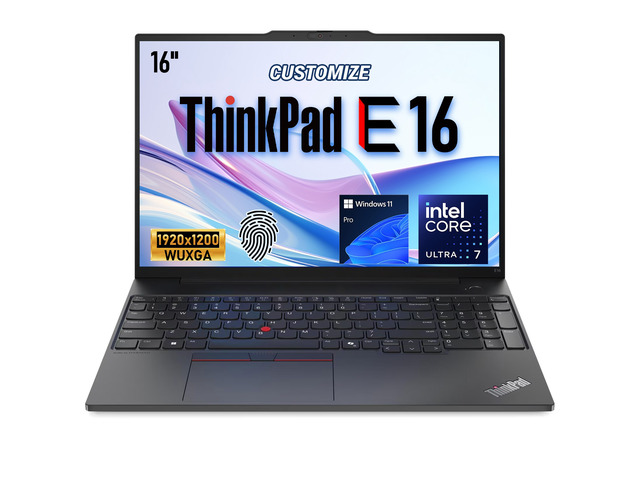 Multi-Retailer Price Disparity
$979.00at AmazonSave 33% (List: $2,289.99)
Multi-Store Price Check:Amazon: $979.00 ✓ LowestNewegg: $1,539.00
The Retailer Pitch: Advertised at a major discount with multi-retailer inventory.
Hardware Reality Check: Our morning triangular scan reveals price differences between competing stores. Choosing the lowest-priced tracked retailer saves immediate cash without sacrificing warranty or hardware specs.
✓ Genuine Value For:Shoppers who compare cross-retailer prices before buying; mobile professionals needing dependable productivity.
✕ Skip If You Need:Buyers who purchase from the first store they click on without checking whether a competitor has the identical configuration for less.
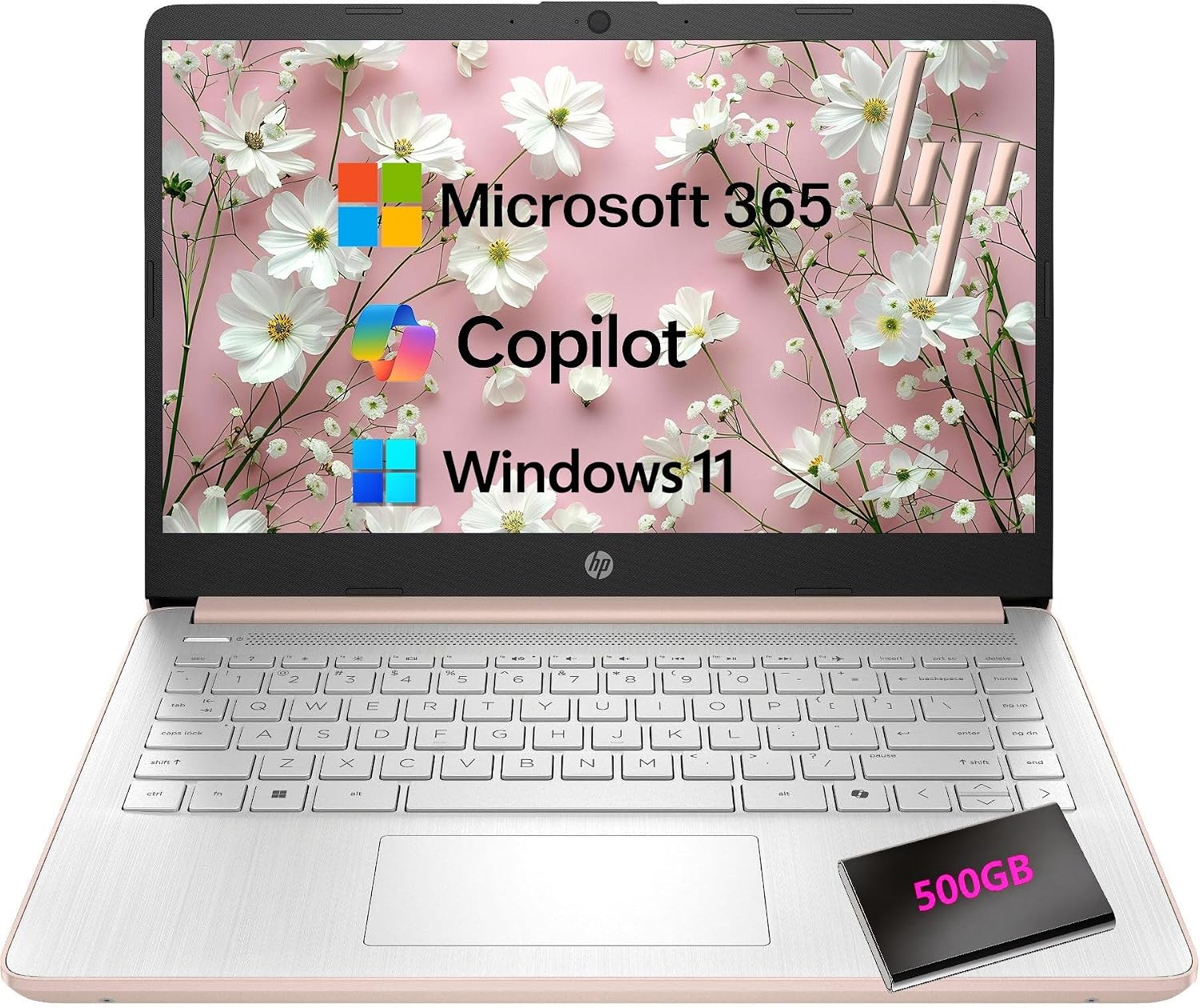 High-Discount Spec Check
$349.00at AmazonSave 75% (List: $1,379.99)
The Retailer Pitch: Steep advertised percentage discount (up to 75% off) with an eye-catching sub-$400 price tag.
Hardware Reality Check: The high reference MSRP (e.g. $1,379.99) is an anchor benchmark. The actual hardware is an entry-level processor and memory configuration designed strictly for light browsing.
✓ Genuine Value For:Students or secondary users needing a lightweight typing and streaming laptop under strict budget constraints.
✕ Skip If You Need:Power users, STEM students, or anyone running heavy multitasking, virtual machines, or creative software.
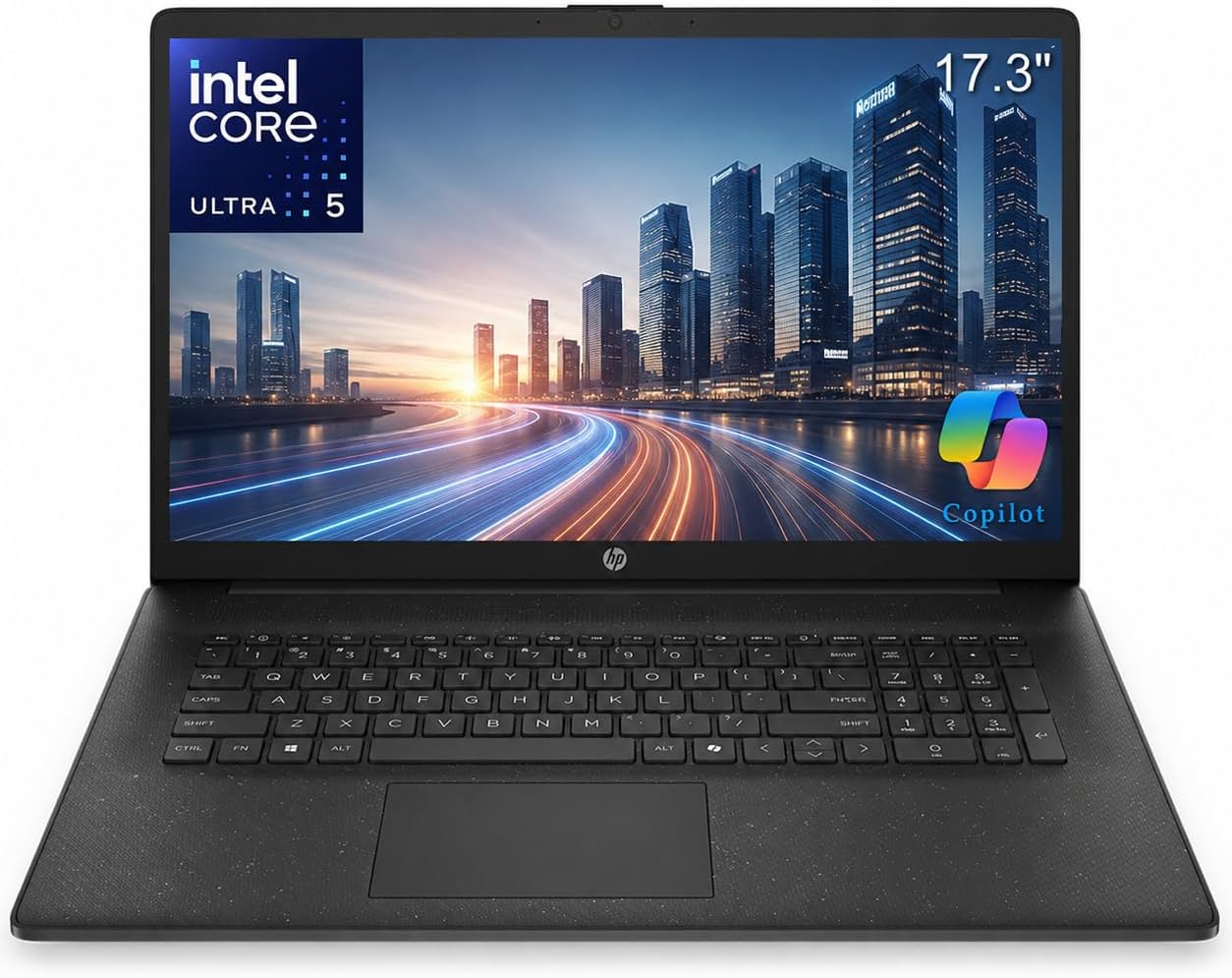 Cost-Per-Year Sweet Spot
$599.00at AmazonSave 49% (List: $1,179.00)
The Retailer Pitch: Solid mid-tier pricing with 16GB of RAM and modern processing performance.
Hardware Reality Check: Passes the 5-year utility test. 16GB of memory and high-speed NVMe storage ensure this machine will not choke on Windows 11 Copilot+ or multi-tab workloads, delivering the lowest cost-per-year of ownership.
✓ Genuine Value For:Remote workers, college students, and professionals who want a reliable daily driver that will last 4 to 5+ years without slowdowns.
✕ Skip If You Need:Shoppers on an ultra-tight sub-$300 budget who can only afford entry-level hardware.
The 60-Second “Should I Buy It?” Pre-Checkout Checklist
- 1. MPN Verified? Have you matched the exact model number on the manufacturer's spec sheet, not just the marketing name?
- 2. Memory Floor Respected? Does the laptop or desktop have at least 16GB of RAM (or accessible upgrade slots) to avoid early obsolescence?
- 3. Seller Vetted? Is the item sold directly by Amazon, Best Buy, or Newegg—or a 5-star authorized dealer with no restocking fees?
- 4. Competitors Checked? Have you checked prices across at least two competing major stores to ensure the discount is authentic?
- 5. Total Landed Cost Calculated? Have you included necessary docks, cables, memory upgrades, and sales tax into your budget?
- 6. Return Safety Window Confirmed? Does the retailer offer at least a 14-to-30-day return window with zero restocking penalties?
Note: Tech Deal Compass re-evaluates all listed deals every morning at 6:00 AM UTC. Pricing, stock status, and seller ratings are updated continuously to reflect live retail market conditions.